

CodeSandbox Setup
CodeSandbox is a web-based IDE (Integrated Development Environment) for quickly testing web applications.
It is a great tool for learning and prototyping new ideas.
Follow the steps below to set up CodeSandbox so it looks and behaves like your local VS Code installation.
-
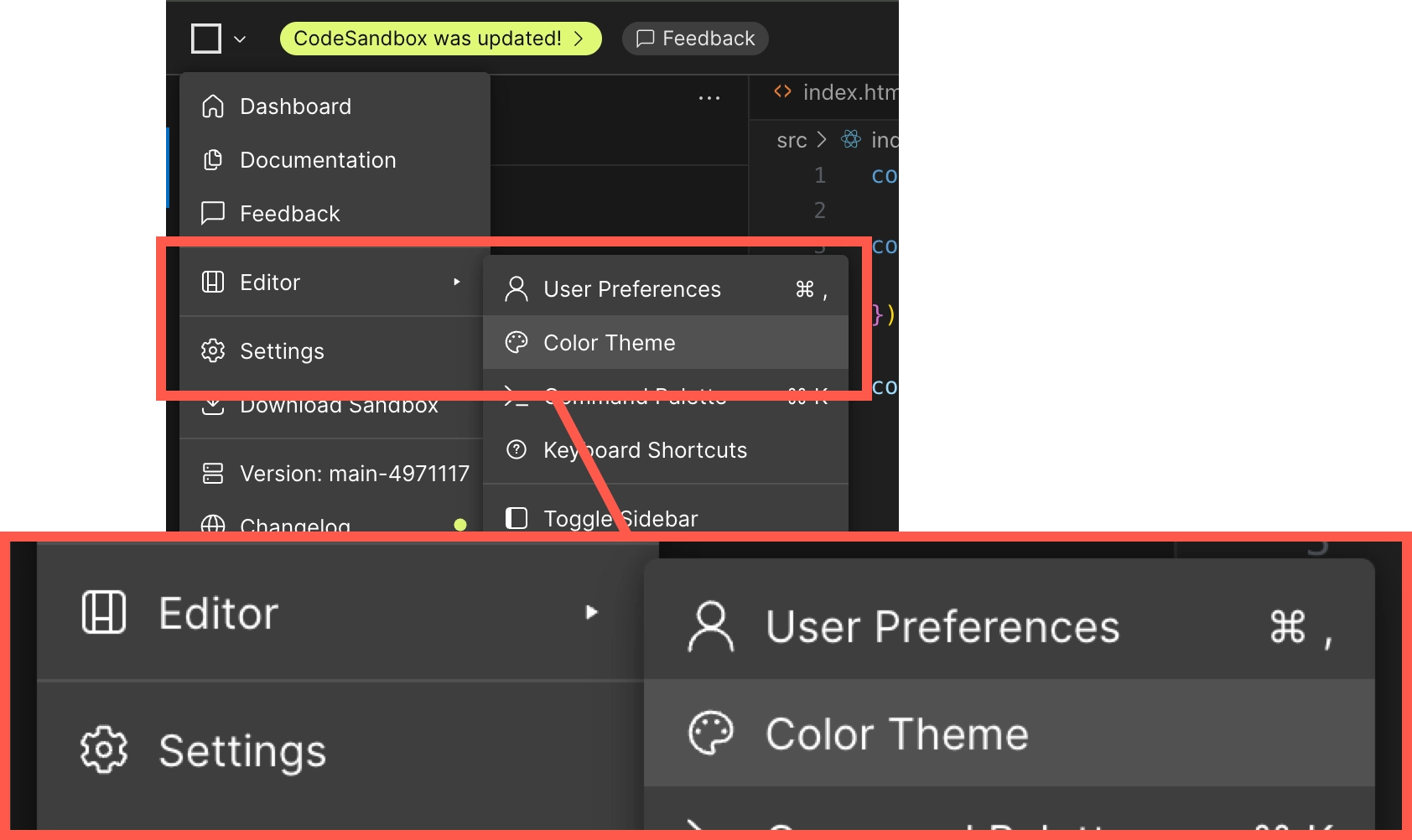
Click on the square icon in the top right of the editor to open the config menu, then choose Editor > Color Theme.
-
Select the
Default Dark Moderntheme.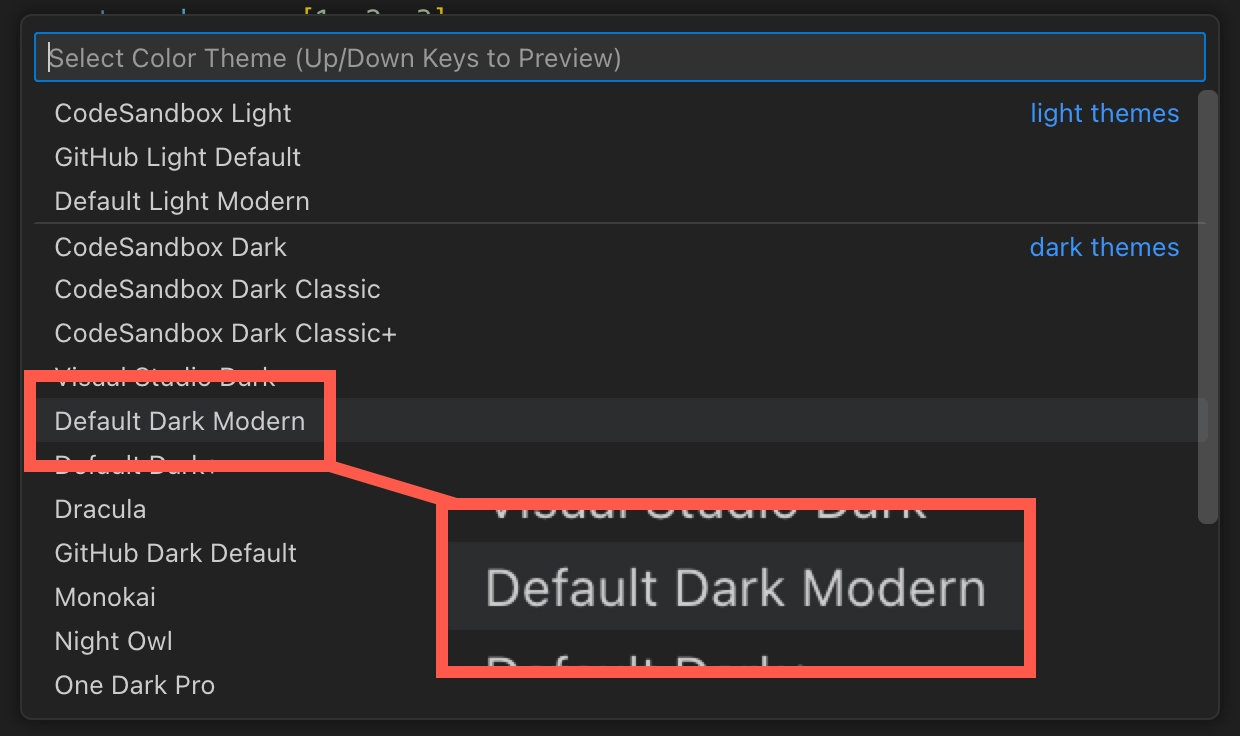
-
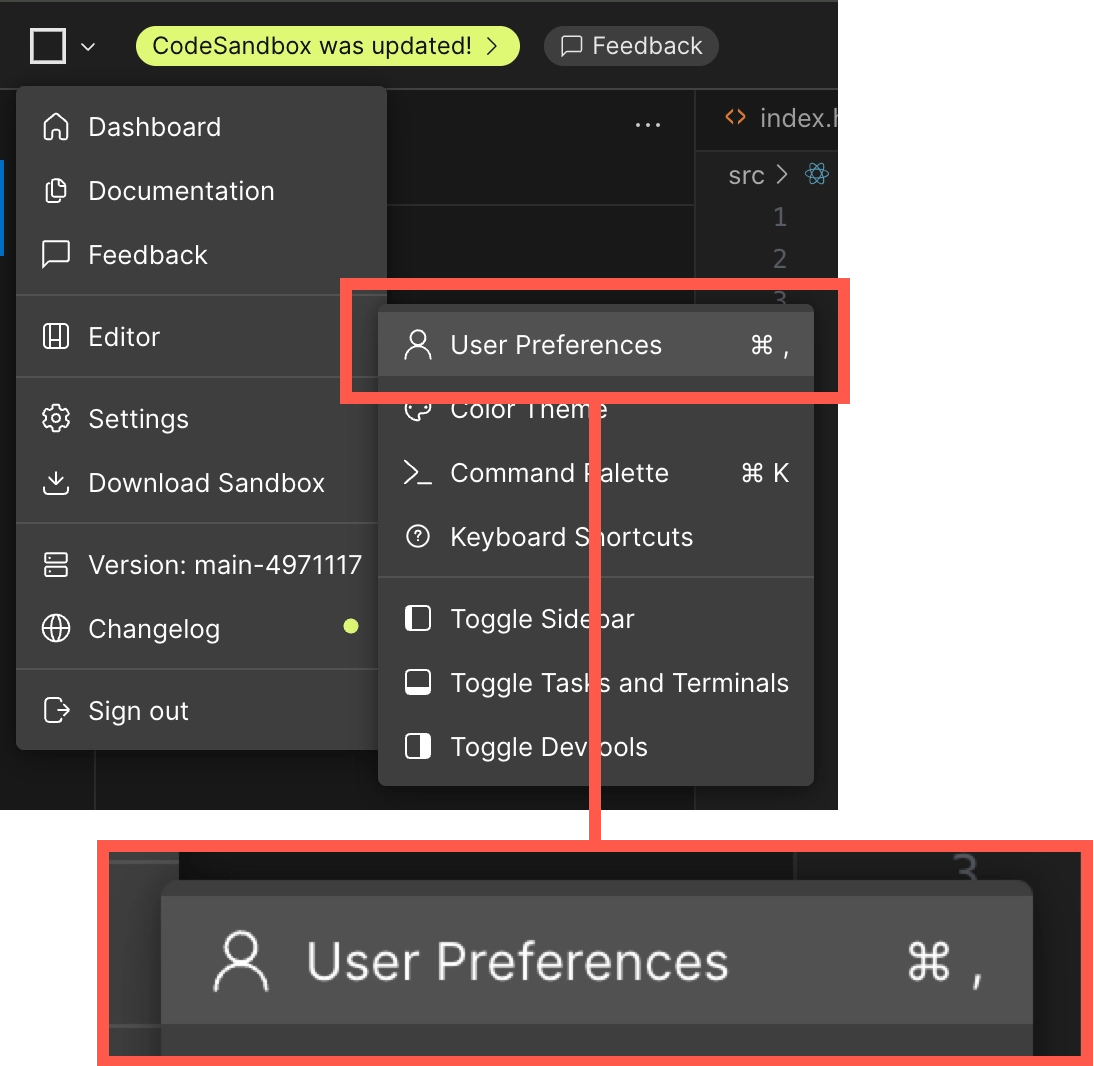
Click on the square icon in the top right of the editor again, but this time choose Editor > User Preferences.
-
Type
previewinto the search bar and find the section labelled Sandbox: Preview Run Action. Selectsavefrom the drop-down menu.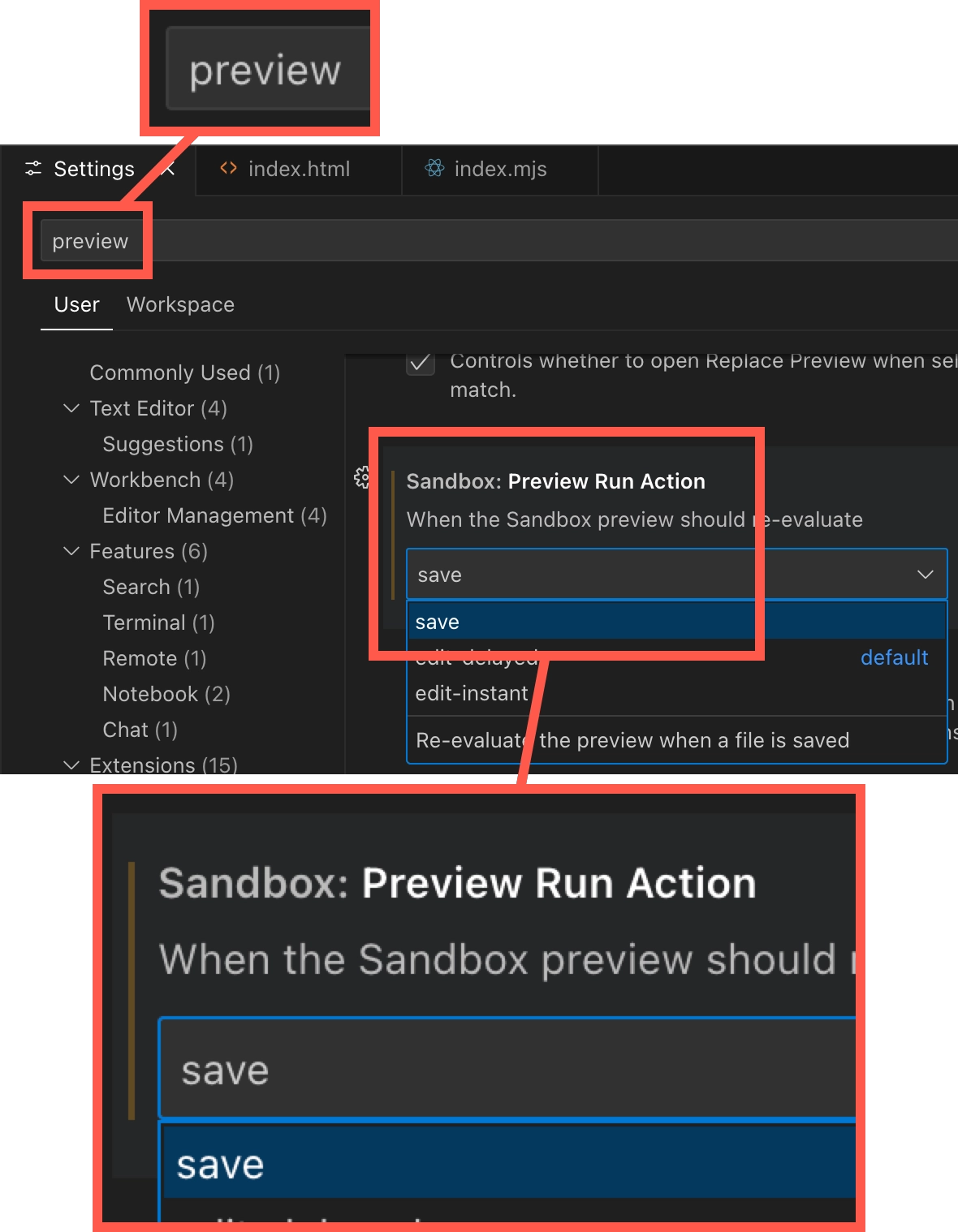
Close settings by clicking the x in tab header. Happy coding!